
You typed your business name into Google and found nothing. It’s a common nightmare for small business owners, and the answer almost always traces back to three specific conditions Google requires before showing any page. One of them is invisible to most site owners.
Where is my site?
Key Takeaways
- Google will not rank any website unless three core conditions are met: it can find your site, your content matches what people search, and your page proves it deserves to rank.
- New websites can take anywhere from a few days to six months just to get indexed – and indexing alone does not mean ranking.
- Technical issues like slow load times, poor mobile experience, and duplicate content can silently undermine all three conditions at once.
- Google Search Console is a free diagnostic tool that reveals exactly why your site may be invisible – and where to start fixing it.
- There is a deeper reason why so many pages stall in rankings even after they are indexed – and it comes down to something most site owners overlook entirely.
If you have typed your business name into Google and found nothing, you are not alone. It is one of the most common and frustrating problems small business owners run into – and the answer almost always traces back to one or more of three specific conditions that Google requires before showing any page in its results.
3 Conditions Google Needs Before Ranking Any Website
Google does not automatically know your website exists. It does not scan the internet in real time. Instead, it relies on a structured process – and every website has to pass through it before earning any visibility in search results.
The three conditions are straightforward, but each one has layers that catch many websites off guard:
- Google must be able to find and access your site (crawling and indexing)
- Your content must match what people are actually searching (keyword and intent relevance)
- Your page must prove it deserves to rank (quality, authority, and trustworthiness)
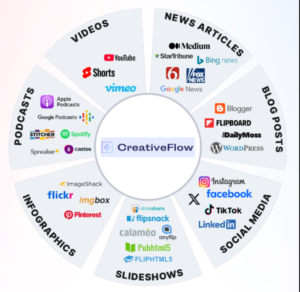
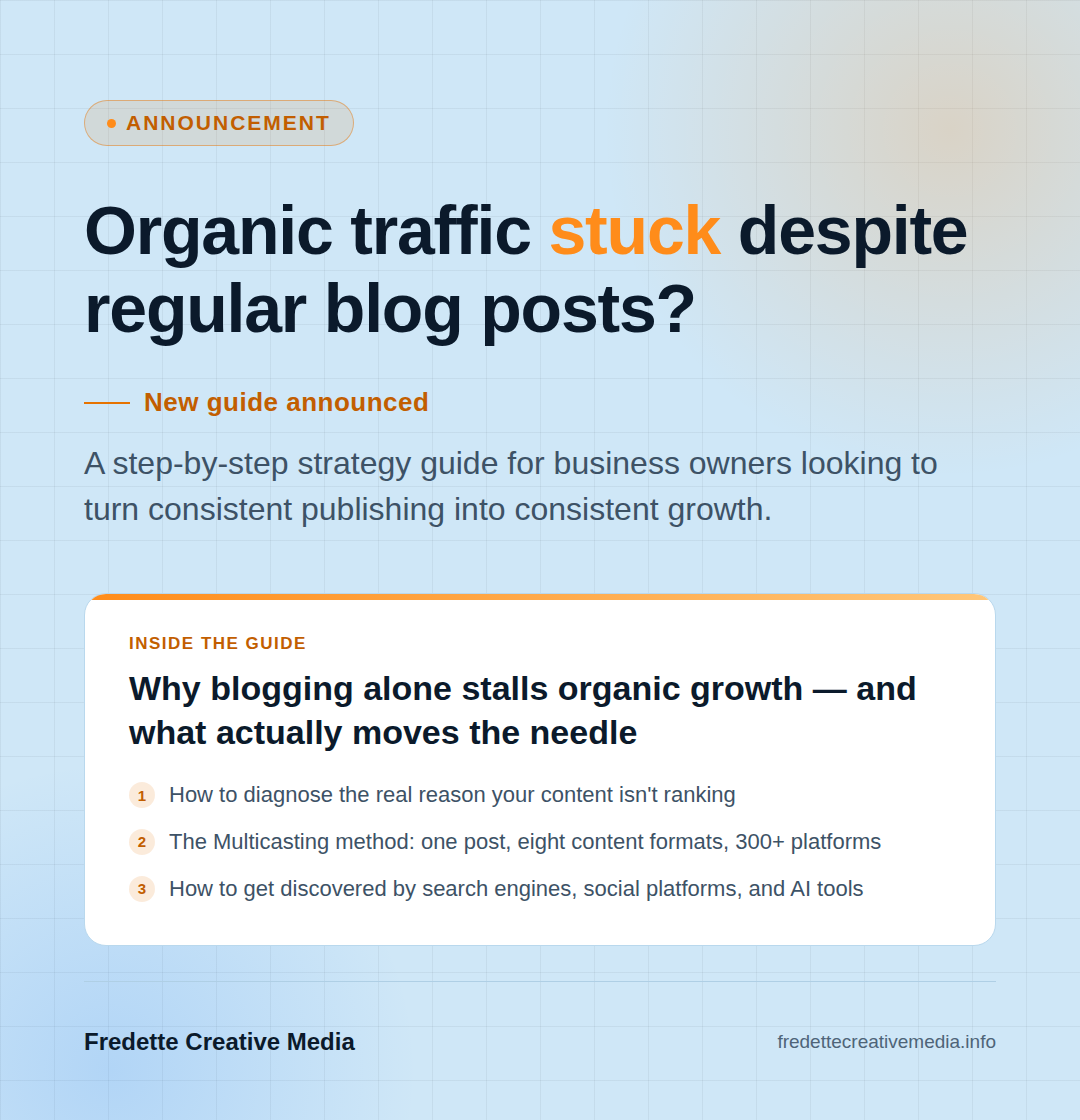
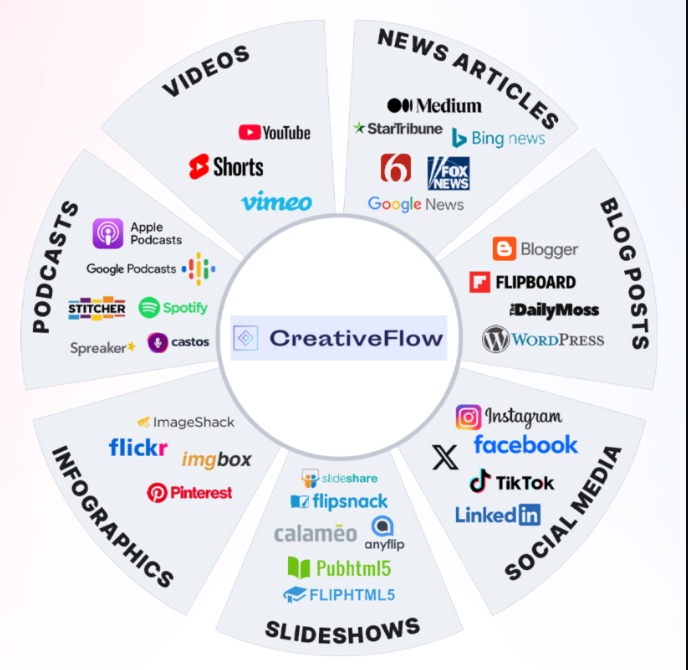
Miss even one of these and your website stays invisible – no matter how good your product is or how much effort went into the design. Fredette Creative Media’s content and Multicasting resources break this framework down further for small business owners who want to close these gaps without a steep learning curve.
Condition 1: Google Must Find You First
Before Google can rank a page, it has to know the page exists. That happens through crawling – where Google’s bots follow links across the web to discover and read web pages – and indexing, where those pages get stored in Google’s database and become eligible to appear in search results.
This is the BIG answer to being found on Google
New Sites Need a Crawl Head Start
A brand-new website is effectively invisible to Google until a bot finds it. That can take days or several months. The most reliable way to accelerate it is to set up a Google Search Console account and submit your sitemap directly. A sitemap is a structured file that maps out all your pages and tells Google how to navigate your site efficiently. Most website platforms – WordPress, Squarespace, Wix, Shopify – can generate one automatically.
Even after Google crawls your site, page-one rankings will not follow immediately. Getting indexed is the starting line, not the finish line.
Indexing Blockers You May Not Know Exist
Some websites are accidentally configured to block Google from indexing them. The most common culprits:
- Noindex tags – an HTML directive that tells Google to skip a page entirely. These are sometimes added during development and never removed before launch.
- Robots.txt errors – a configuration file that controls which parts of your site bots can access. A misplaced rule can block entire sections of your site without any warning.
- Google penalties – if a site has used manipulative SEO practices (like buying backlinks), Google may deindex it or suppress it in results. Search Console will flag any manual actions in your account.
If your site has been online for more than a few months and still does not appear – even when you search your own business name – check all three of these inside Google Search Console before assuming it is a content problem.
Condition 2: Your Pages Must Match What People Search
Getting indexed means Google knows you exist. Ranking means Google believes you are relevant – and that is an entirely different challenge. According to Google’s own ranking documentation, relevance is assessed by looking at keywords in headings and body text, as well as whether a page contains supportive content like images or video beyond keyword repetition alone.
Keywords in the Right Places
Keywords are not simply about sprinkling a phrase onto a page. Placement matters. Google gives more weight to terms that appear in:
- The page title and meta description
- H1 and H2 headings
- The first 100 words of body content
- Image alt text and the page URL
The goal is to signal relevance clearly – without forcing keywords into places where they read awkwardly. Natural, readable copy that uses the right terms will consistently outperform stuffed or over-optimized content.
Search Intent: The Trap Most Sites Fall Into
Search intent is the underlying reason someone types a query – and Google has gotten very good at identifying it. If someone searches “how to fix a leaky faucet,” they want step-by-step instructions, not a page selling plumbing services. A sales page placed behind that keyword will be deprioritized in favor of content that actually answers the question. Pages that fail to match the user’s underlying intent will struggle to rank, even when they contain every relevant keyword.
The fix is straightforward in concept: before writing or optimizing a page, search the target keyword yourself. Look at what is ranking. If the top results are guides and tutorials, your page needs to be a guide. If they are product pages, a product page is appropriate. Match the format to the intent, not just the phrase.
Condition 3: Prove Your Page Deserves to Rank
Relevance gets a page into consideration. Quality is what gets it to the top. After identifying relevant content, Google prioritizes pages that demonstrate what it calls E-E-A-T: Experience, Expertise, Authoritativeness, and Trustworthiness. These are signals Google picks up from many different aspects of a page and domain – not a simple checklist.
How Google Identifies Quality and Trustworthiness
High-quality, informative content that thoroughly addresses search intent is one of the strongest quality signals available. Quality also includes factors like:
- Whether the content is original and thorough vs. thin or recycled
- Whether the site uses HTTPS (SSL certificate)
- Whether the author or brand has a credible presence online
- Whether the page includes supporting elements like images, structured data, or video
Longer content often correlates with better rankings because it allows for more thorough topic coverage – which more fully satisfies user intent. A 300-word page on a competitive topic is almost never enough.
Backlinks: Digital Endorsements That Build Authority
Backlinks – links from other websites pointing to yours – are one of Google’s most significant ranking factors. They function as digital endorsements: when a credible website links to your content, it signals to Google that your page is trustworthy and worth surfacing.
Building backlinks takes time. Effective approaches include guest posting on relevant industry sites, publishing genuinely useful content that others want to reference, and getting listed in reputable directories. Internal links – from one page of your own site to another – also help Google understand your site’s structure and give important pages more weight.
Technical Issues That Undermine All 3 Conditions
Even with solid content and a clean site structure, technical problems can quietly suppress visibility across all three conditions simultaneously. Two issues in particular show up constantly.
Speed and Mobile-Friendliness
Website speed is a direct ranking factor. Google prioritizes faster-loading pages to deliver a better user experience – and most users abandon a site that takes longer than three seconds to load. Run a test using Google PageSpeed Insights to identify what is slowing your pages down.
Google also uses mobile-first indexing, meaning it primarily crawls and ranks the mobile version of a site, not the desktop version. If your site is not optimized for phones, it is being evaluated at a disadvantage. Google’s Mobile-Friendly Test tool can identify specific issues within minutes.
Thin, Duplicate, or Short Content
Duplicate content – whether copied from another site or repeated across multiple pages of your own – confuses Google and dilutes ranking potential. Thin pages with little substantive information signal low value. Both problems are fixable: audit your content with tools like Ahrefs or Screaming Frog, remove or consolidate weak pages, and make sure every page serves a distinct, meaningful purpose for visitors.
Use Google Search Console to Diagnose the Problem Now
Google Search Console is free, and it is the single most useful tool for understanding why a site is not showing up. It shows:
- Which pages are indexed and which are excluded – and why
- Crawl errors and coverage issues
- Whether any noindex tags or robots.txt rules are blocking pages
- Search performance data – which queries bring impressions, and whether those translate to clicks
- Any manual penalties applied to the site
Start by running a URL inspection on your homepage. If it is indexed, check the Coverage report for excluded pages. Then look at the Performance tab to see whether any pages are getting impressions but low clicks – that often points to a title or intent mismatch that is easy to correct.
Meet All 3 Conditions or Stay Invisible
There is no shortcut around this framework. Google will not rank a site it cannot access. It will not surface a page that does not match what someone searched. And it will not promote content that has not demonstrated quality or earned any authority. These three conditions work together – a problem with any one of them caps the ceiling for the other two.
Each condition is diagnosable and fixable. Start with indexing, confirm your content aligns with search intent, then build toward authority steadily. Multicasting rarely delivers overnight wins, but a site that meets all three conditions consistently will accumulate visibility that compounds over months.
For small business owners ready to build a search presence that actually works, Fredette Creative Media / Creative Flow provides practical Multicasting and content strategy guidance built specifically for businesses facing these exact challenges.